
 +44 20 3695 6722
 Sign in
Autopayments eliminate the need for you to manually process transactions on a regular basis: the system automatically debits the funds on the scheduled payment date.
How it works:
- Enable recurring payment for the selected service.
- Specify a payment method, or manually complete a one-time payment for the product. The system will save the payment method used.
- On the next scheduled payment date, the system will automatically process the payment using the saved method.
A single, pre-defined payment method (e.g., a linked card) is used to execute the recurring payment.
The credit balance can only be used for manual service payments.
How to enable it?
To set up autopayment, open the Billing and Support section. In the main menu, select Overview.
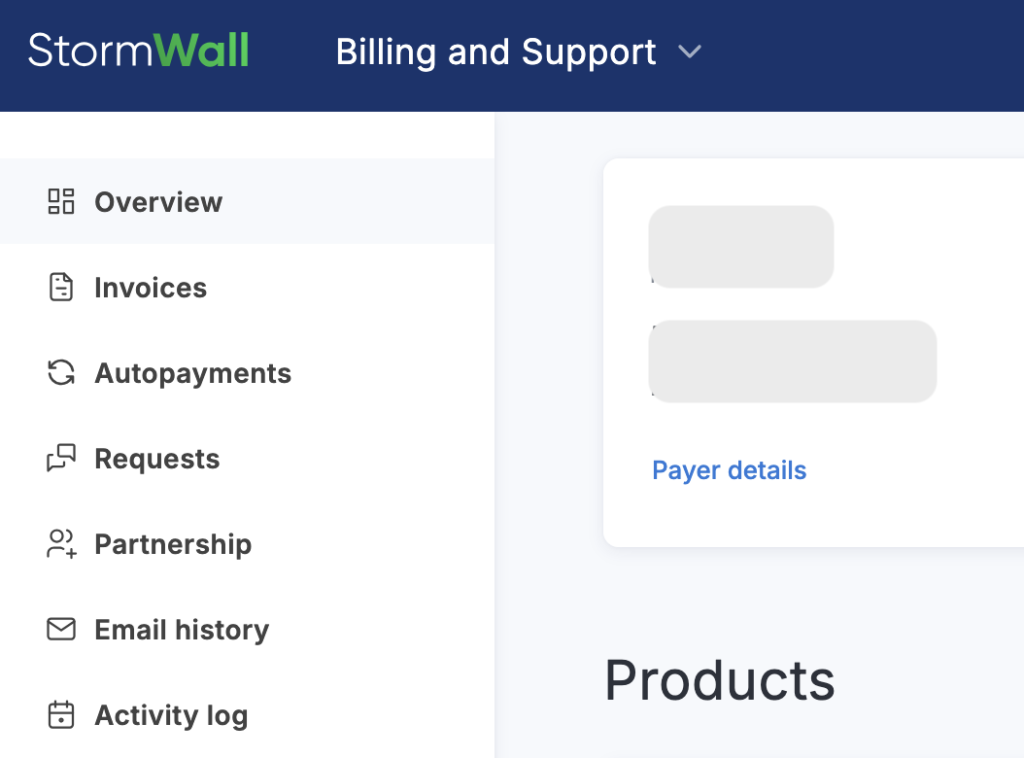
Locate the product for which you wish to enable automatic payment and set the Autopayments toggle to the ON position. Confirm the action in the dialog box.

Select the Autopayments option from the main menu.
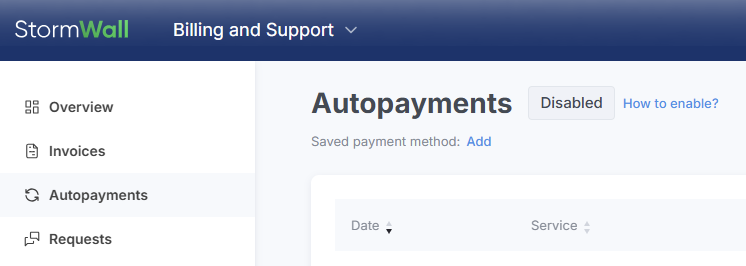
Specify the payment method by clicking the Add button in the Saved Payment Method row, or the Change button if a method has been previously selected. Alternatively, you can make a manual one-time payment for the service (in the Invoices section) — the system will then automatically save your choice.
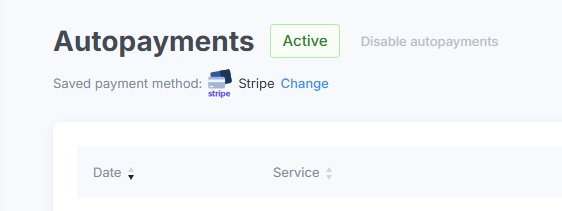
The selected payment method can be modified at any time.
The automatic debit will occur on the payment due date specified in the invoice. You will receive a notification upon successful payment.
In the event of a failed debit attempt, the system will make two additional payment attempts (once per 24 hours). If these attempts are unsuccessful, you will receive a notification to manually pay for the service.
Operation Control
To check the status of automatic debits, select Autopayments from the main menu.
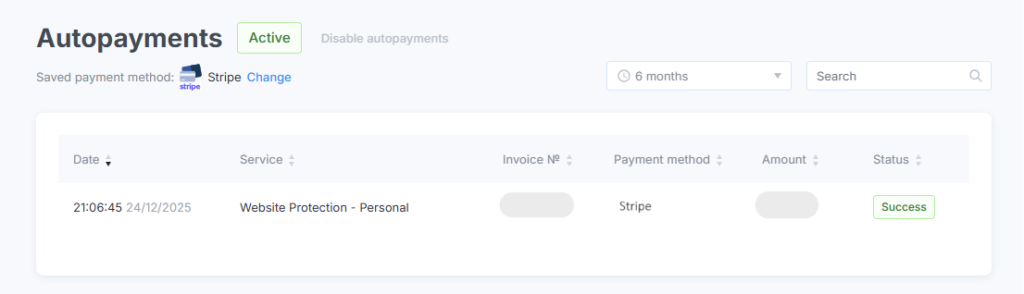
How to disable it?
In the Billing and Support section, select Autopayments from the main menu. On the page that opens, click the Disable фutopayments button.
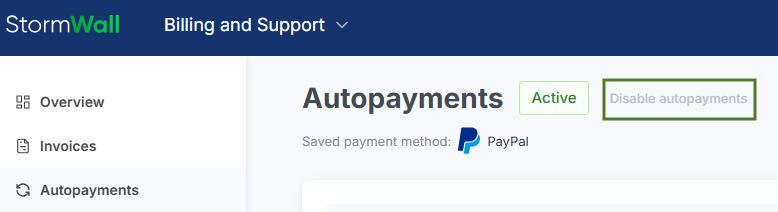
Confirm the action in the dialog box.
Please note that disabling recurring payments applies to all services for which they were previously used.
To disable recurring payments for a single service, navigate to the Dashboard tab and set the Autopayments toggle to the OFF position.

If you have any questions regarding the configuration of recurring payments, please contact our technical support team.
