
 +44 20 3695 6722
 Sign in
We’ve introduced a new feature to the StormWall Client Portal — Proxied Ports. It makes managing listen ports and distributing traffic between backend servers faster, simpler, and much easier to navigate.
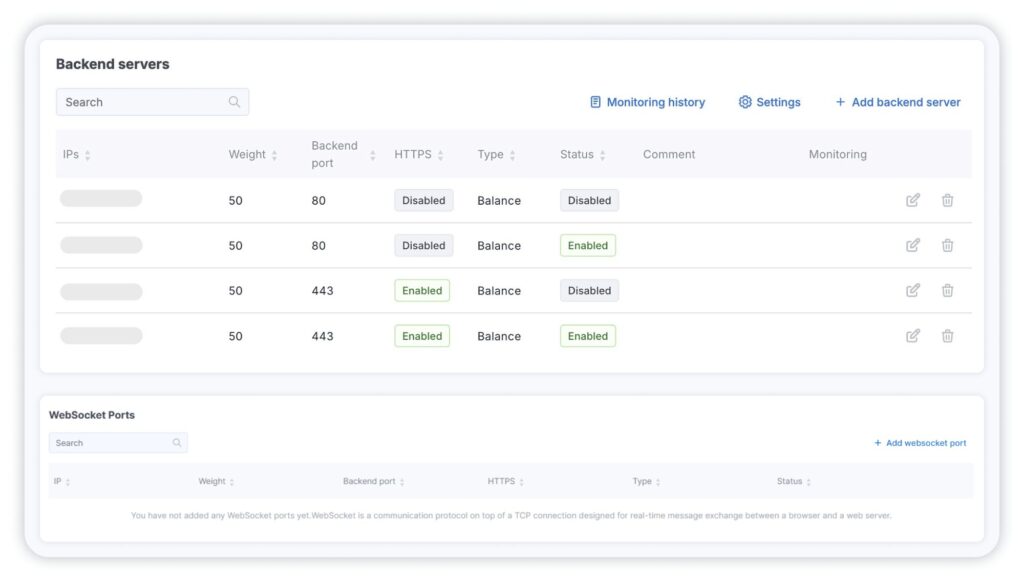
Previously, ports and backends — web servers or load balancers with public IPs — were managed in two separate sections of the Client Portal:
We’ve now combined everything into a single interface, making configuration more intuitive and transparent. The new functionality is already available in the Protected Object section and gives you greater flexibility when configuring ports and backend settings — all from one interface.
Here’s what’s new:
- View all port and backend information in one place.
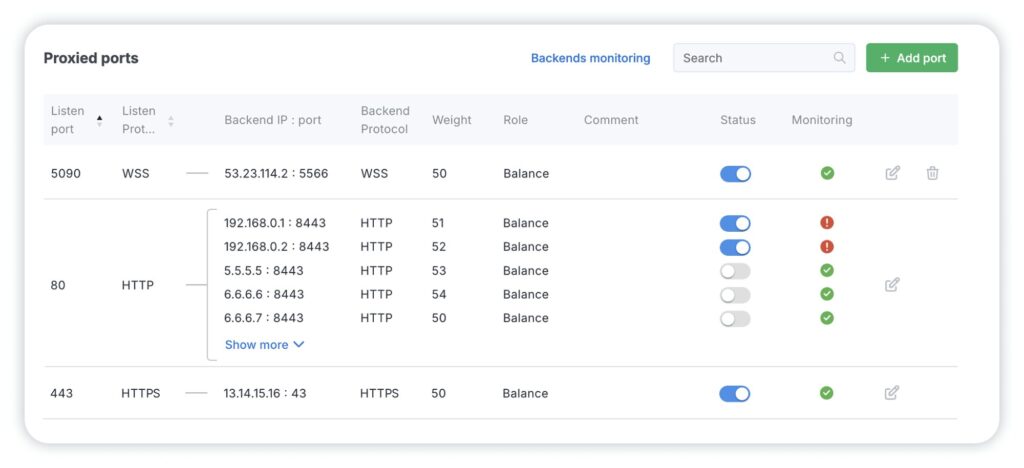
Each row in the table represents a single listen port with one or multiple connected backends. You can instantly view the port number, protocol, backend server IP and port, status, weight, and other key parameters.
2. Add, edit, and remove port configurations in seconds.
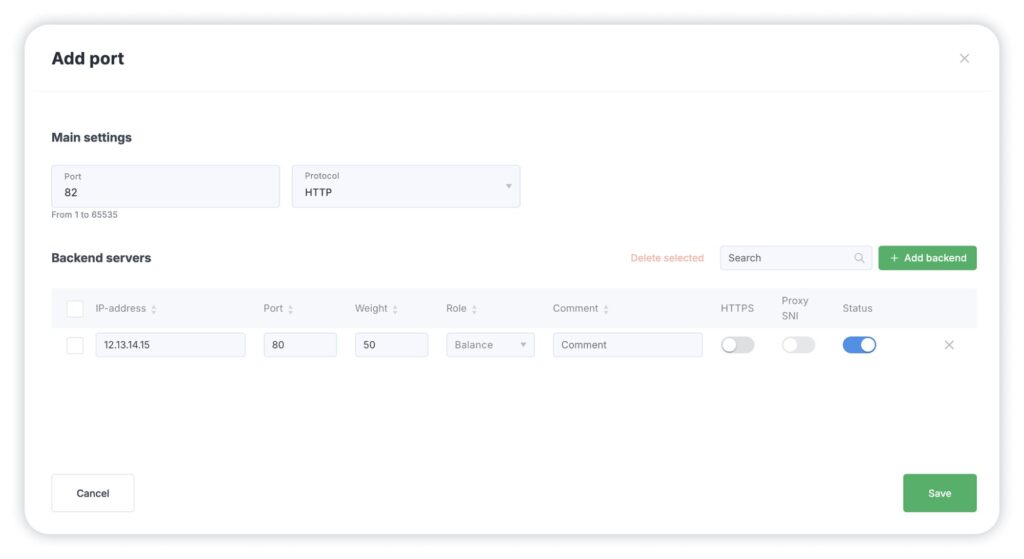
Setting up a new port is straightforward:
- click Add Port,
- enter the port number,
- choose the required protocol,
- add your backend.
3. Configure ports faster with smart presets.
When you add domains under protection in the Protected Object section, the Proxied Ports area already includes preconfigured setups for ports 80 and 443. You can use them as-is, modify the settings, or create entirely new port configurations.
The system also automatically applies the correct parameters based on the selected protocol:
- For SSL-based protocols, HTTPS/WSS and SNI are enabled automatically.
- For standard HTTP/WS traffic, the SNI option is disabled by default.
If needed, you can still manually adjust HTTPS and SNI settings for each backend individually.
Traffic balancing and backend monitoring work exactly as before — all familiar tools and controls remain available.
For a detailed walkthrough of the new Proxied Ports section, check out our guide.
We’ll keep improving the StormWall Client Portal to make protection management faster, clearer, and more flexible for your team.

Network Protection from DDoS Attacks
- Activate protection within 10 minutes
- 24/7 technical support
