
 +44 20 3695 6722
 Sign in
Automatic payments are now available in the StormWall Client Portal. This new feature allows you to automate online payments for our services, save time, and enjoy continuous protection — the invoice amount will be charged automatically on the billing date.
All new payment management features are already available in the Client Portal. You can now:
1. Enable Auto Payments in Just 3 Clicks
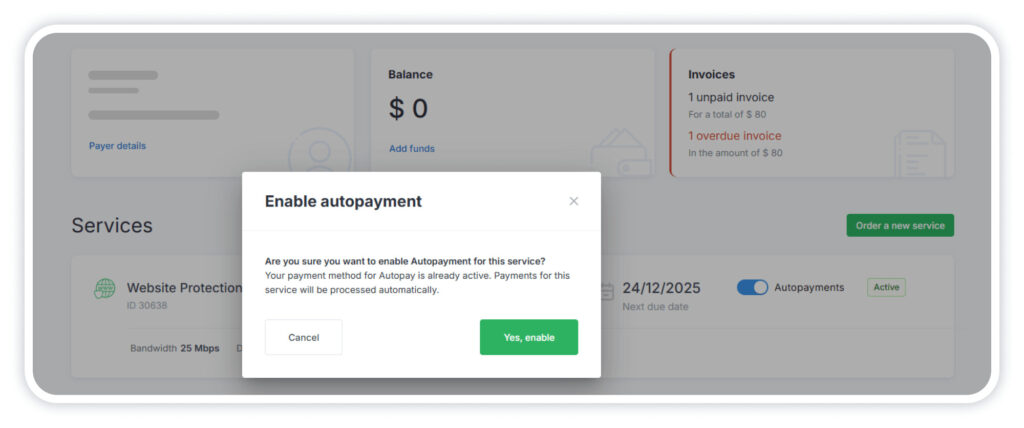
Open the Billing & Support section. From the main menu, select Overview.
Find the services you want to pay automatically and switch Autopayments to ON. Confirm your action in the dialog window.
2. Choose or Change a Payment Method
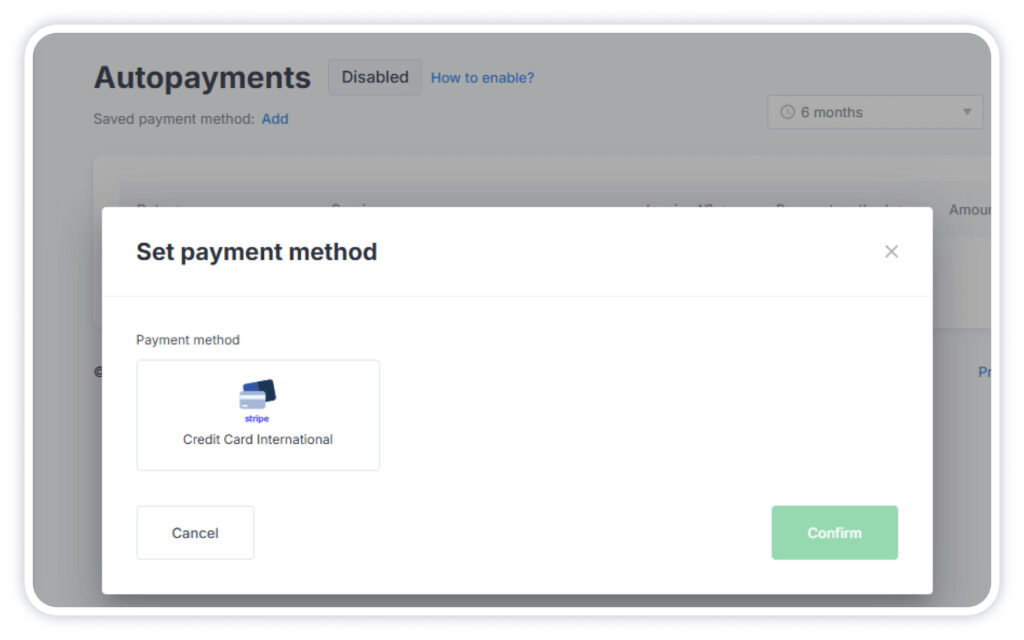
In the main menu, open the Autopayments section and click:
- Add next to “Saved payment method”;
- Edit if you have already selected a payment method before.
You can also make a one-time manual payment in the Invoices section — after that, the system will automatically save your chosen payment method.
Important: the same payment method is used for all services paid automatically. You can change it at any time.
3. Stay Informed About Every Transaction
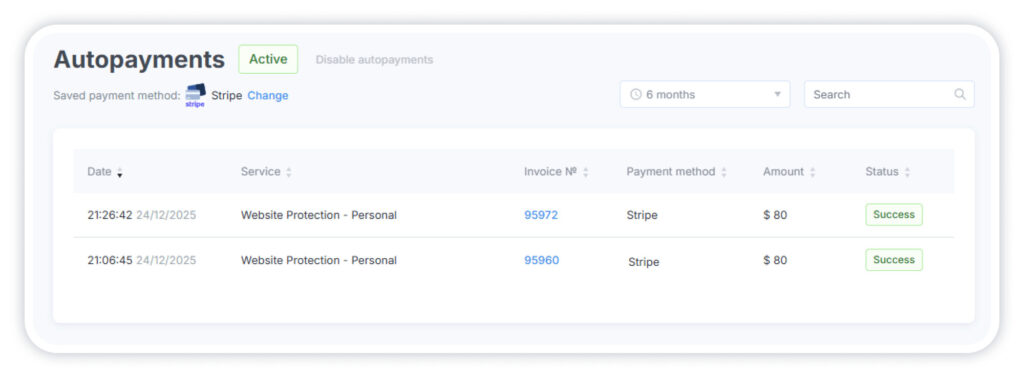
The Autopayments section in the main menu provides detailed information about all transactions, including the date and time, services, invoice number, payment method, amount, and payment confirmation.
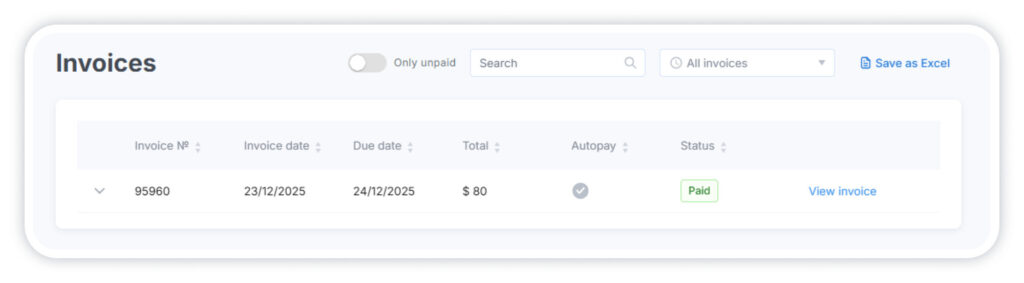
You will receive email notifications about upcoming charges as well as each completed auto payment, sent to the email address linked to your Client Portal account. If a payment attempt fails, the system will automatically make two additional attempts.
For step-by-step instructions on setting up autopayments, please refer to our guide.
We aim to make managing StormWall services as simple and convenient as possible, so you can focus on what matters most, without distraction from routine tasks.

DDoS Protection for Websites
- Activate protection in 10 minutes
- 24/7 technical support
